
Browser Video Editor
A browser-based video editing app created and iteratively expanded with an experimental AI-agile team of agents.
About this project
The Experiment
While the final product of this project is a fully functional browser-based video editing application, the underlying experiment is what is most interesting to me. I set out to explore how much of the product creation process (from a software development perspective) could be performed by AI agents using an agile-based workflow. Over the course of development, I was responsible for playing around with the Browser Video Editor app and creating issues directly in GitHub to voice my preferences, propose new features, and report bugs. An AI agent (Claude, in this case) was responsible for everything else, from project management and development to code review and testing.
More than 500 issues and pull requests were created over the course of several weeks, and the result is a feature-rich, portable application that I will certainly be using in the future for any of my projects involving creating videos, demos, and presentations.
The Application
The Browser Video Editor can:
- Live record or import existing video clips, images, and audio in various file formats.
- Save project configurations and uploaded media, and restore state from previous sessions.
- Build a dynamic timeline from media, handling sequencing, overlap, and transition effects.
- Preview the full video with chapters, looping, and frame controls.
- Provide fine-tuning controls for picture look, audio mastering, and canvas settings.
- Apply effects for transitions, zoom, spotlight, and redaction.
- Add extra content such as color slates, text overlays, and imported subtitles.
- Export final products as video, audio, or GIFs, either as clips or as a whole.
- And much more...
Screenshots
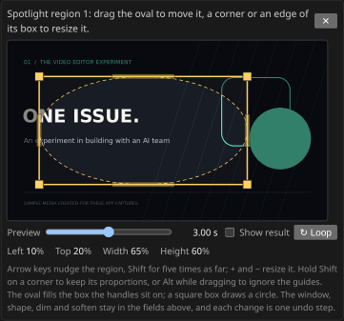 (view full size)
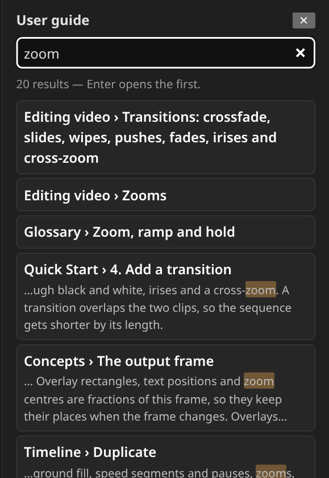 (view full size)
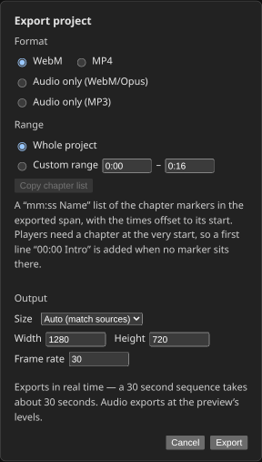 (view full size)