
Nonogram Odyssey
A thousand nonogram picture-logic puzzles arranged in 50 chapters, playable in Classic or Three-Life mode, with progress saved on the device and no backend.
About this project
This project served three different purposes. First, I wanted to make a nonogram application that is easy to play on desktop and mobile and does not have ads (many of the popular ones out there are filled with them). Second, I wanted to see how Claude would approach creating 1000 puzzles from scratch that scale in difficulty. Third, I wanted to see how Claude in Chrome would perform when interacting with an application that it had never seen before. Overall, I am happy with the results of this experiment and will certainly use some of these techniques in the future.
The Nonogram Application
I am quite happy with how the application feels. There are many very nice quality-of-life features that I normally would not have focused on or bothered with for a project of this scale, but adding many generic and helpful features is one of the things Claude Code is best at. In particular, one thing that is typically challenging for nonogram apps on mobile is that the puzzle is very large, but the screen is very small. To accommodate this, there is an intuitive puzzle navigation overlay that makes it easy and convenient to get to the part of the puzzle being worked on.
The Nonogram Puzzles
The way that Claude approached the puzzles was interesting, and it produced mixed results.
Here are the things I liked:
- It successfully generated 1000 puzzles without repeats (technically).
- For the most part, the puzzles did a good job of representing the objects they were trying to depict.
- The way it accounted for difficulty when ordering the puzzles was very savvy, and the puzzles generally did feel correctly ordered.
And here are the things I did not like:
- It would often leave entire rows or columns of all-white or all-black squares along the edges of the puzzle, which makes me question why the puzzle grid was not just made smaller.
- It would often place blocks of filled squares throughout the puzzle (most often in the corners) in order to give the puzzle a unique solution, even if these did not actually fit the theme of the puzzle.
- It had a problem with repetition. Even after I called this out, there would still be multiple puzzles with the same theme (e.g. cat, scorpion, numbers, etc.).
Claude in Chrome
What Claude in Chrome could do was one of the most interesting parts of the experiment. This was really the first time that I had experimented with UI control on my desktop in a way that actually impressed me. Previous iterations of this type of tool were often really buggy, but when I asked Claude in Chrome to play my app for ~20 minutes, it did just that. It solved puzzles, explored the site, and made some errors on purpose to see what would happen. It even provided me with a list of small bugs it found, which I could then feed back into Claude Code to fix in the next iteration of this app. This is really cool, and I anticipate using this feature more and more in the future.
Screenshots
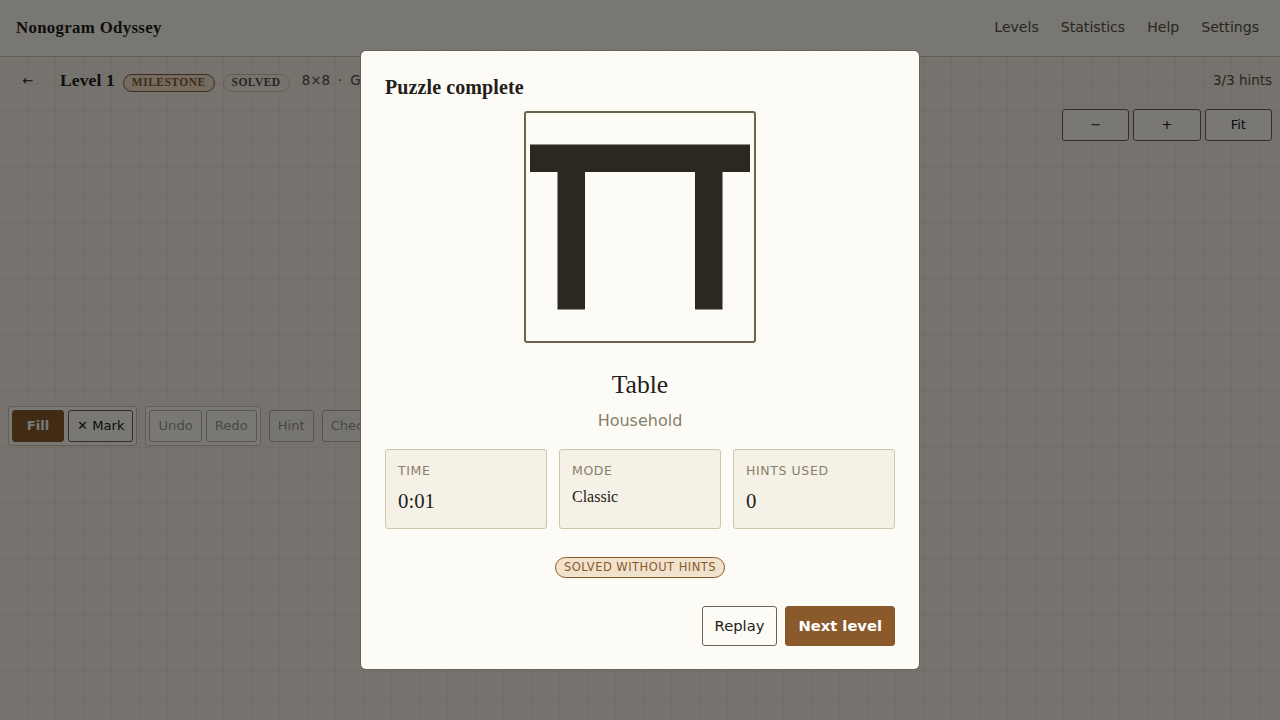 (view full size)
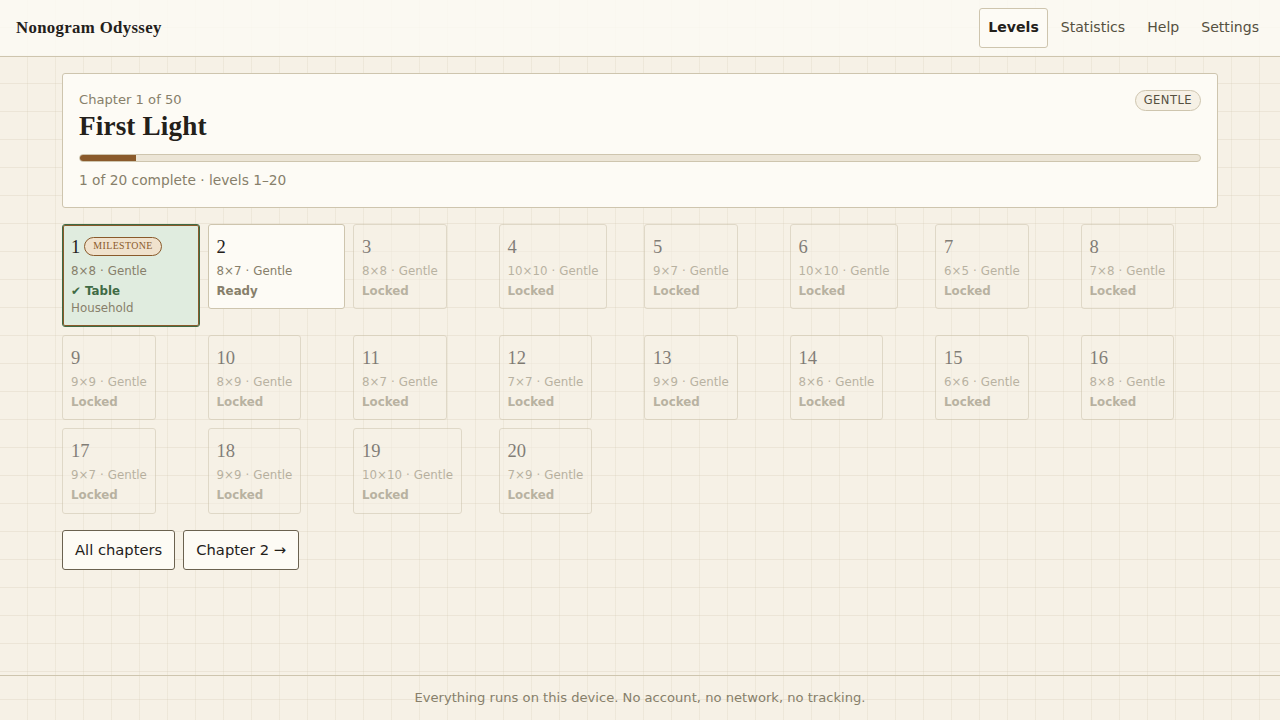 (view full size)